If an overnight race is still going at 2:00 a.m. when the clocks fall back, the hour from 1:00 a.m. to 2:00 a.m. happens twice. RaceDay Scoring can't tell which of those two hours the read belongs to, so it leaves the read unused.
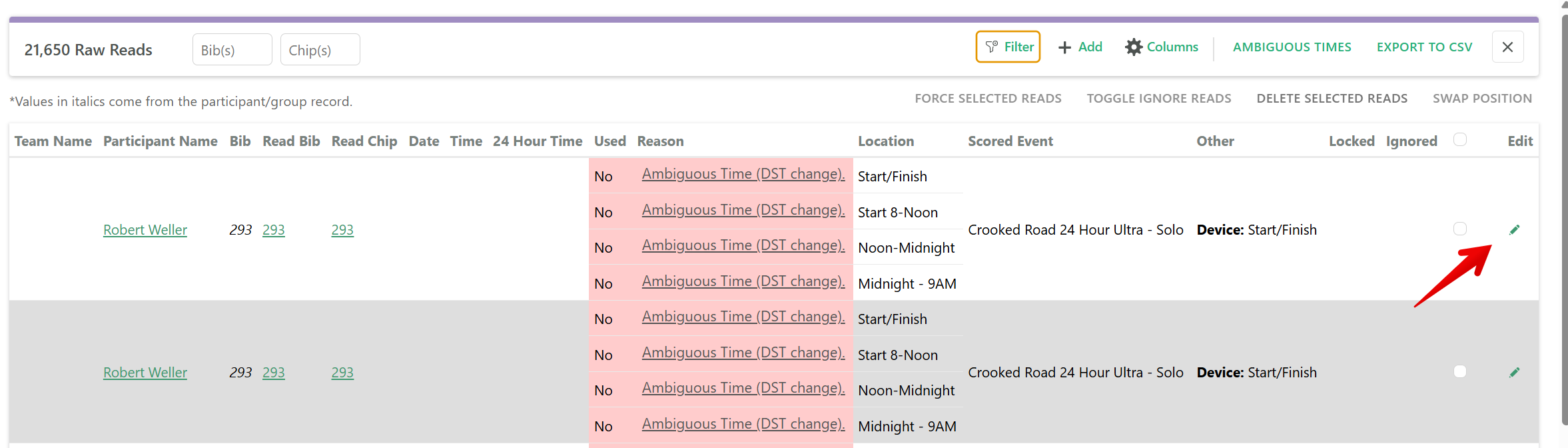
In Raw Reads, Used shows No, and the reason says Ambiguous Time (DST change). Date and Time are blank. Click the reason if you want the short explanation. To keep the read, edit it and set the Timestamp.
If your race starts later that day, you won't see these reads. Set the scoring computer and every decoder to the same time, and you're set.
A lot of decoders don't change time on their own. If the scoring computer changes and a decoder doesn't, the reads after the change will be an hour off instead of ambiguous. Both of those are covered below.
Turn off automatic time change
Before the race, turn off automatic time change on the scoring computer and on every decoder. Leave them all on the same clock until the event is over.
If one device changes and another doesn't, every read after the change will be an hour off.
When the event is done, set the scoring computer and every decoder to the new time before your next event.
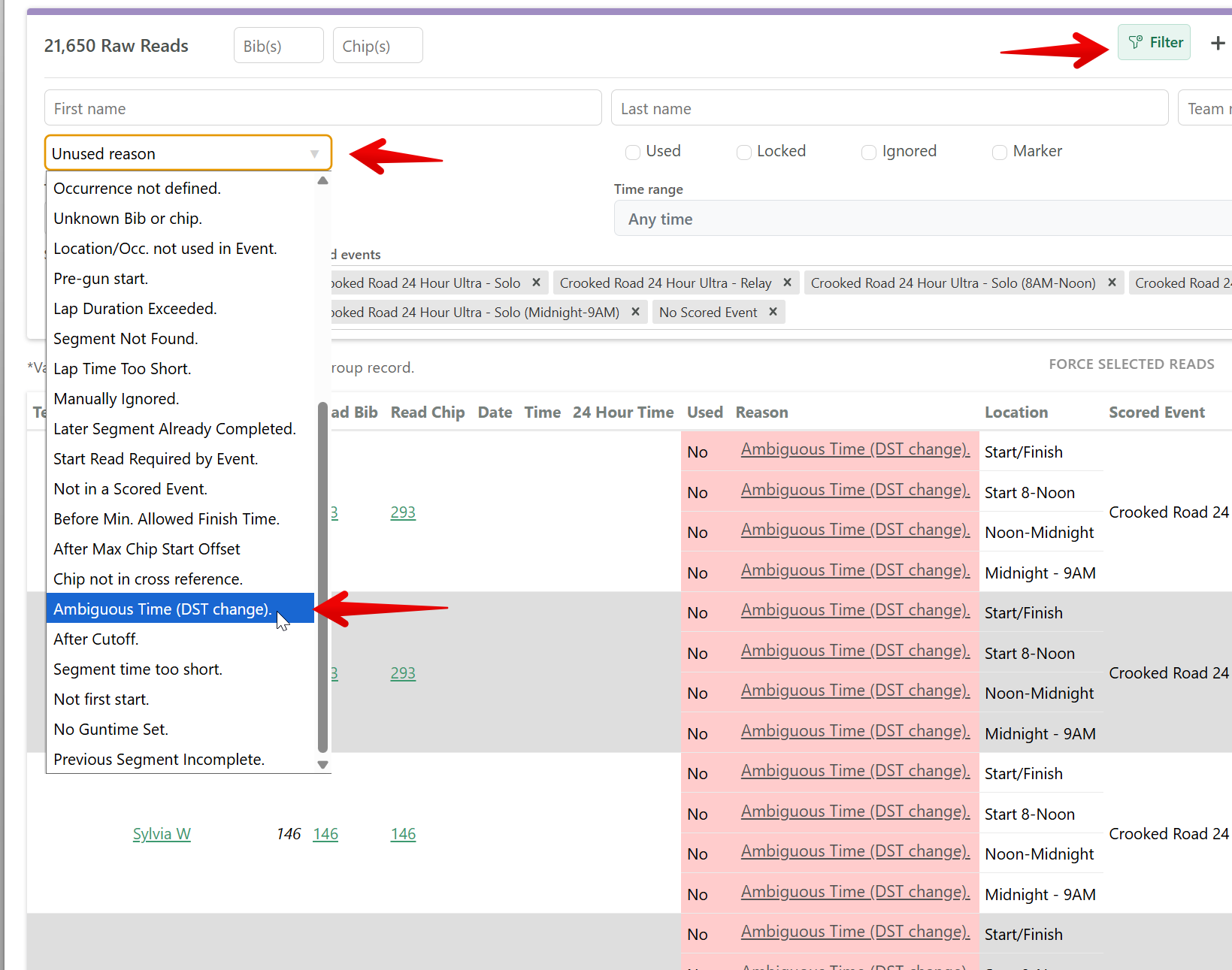
Find reads from the repeated hour
- Open Raw Reads.
- Click Filter.
- Under Unused reason, choose Ambiguous Time (DST change).
Set the time on an ambiguous read
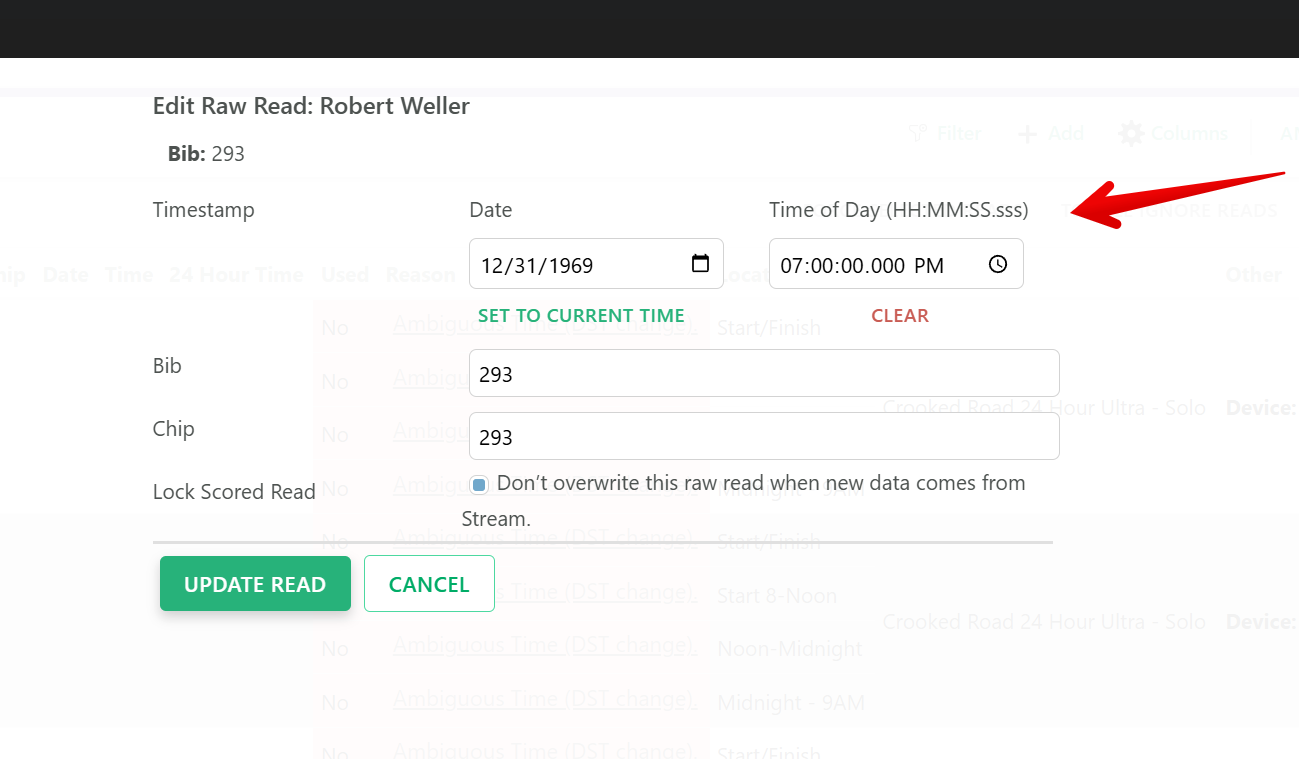
- Click the edit icon on that row. Edit Raw Read opens.
- Set Timestamp to the correct time.
- Leave Lock Scored Read checked so a later read from the Stream doesn't put the ambiguous time back.
- Click Update Read.
When clocks spring forward
If the clocks spring forward, the hour from 2:00 a.m. to 3:00 a.m. doesn't exist. Turn off automatic time change the same way, so the scoring computer and the decoders stay together.
RaceDay Scoring can't store a time in that missing hour. If you need to enter one, set Timestamp to the time after the clocks have changed.
If reads are one hour off
Set the decoder clock so it matches the scoring computer. Then edit each read that is off, set Timestamp, and click Update Read.
Note
Ambiguous Times in the Raw Reads toolbar is for a START/FINISH location where a participant has more than one valid set of start and finish reads. That button is not for the daylight saving hour.