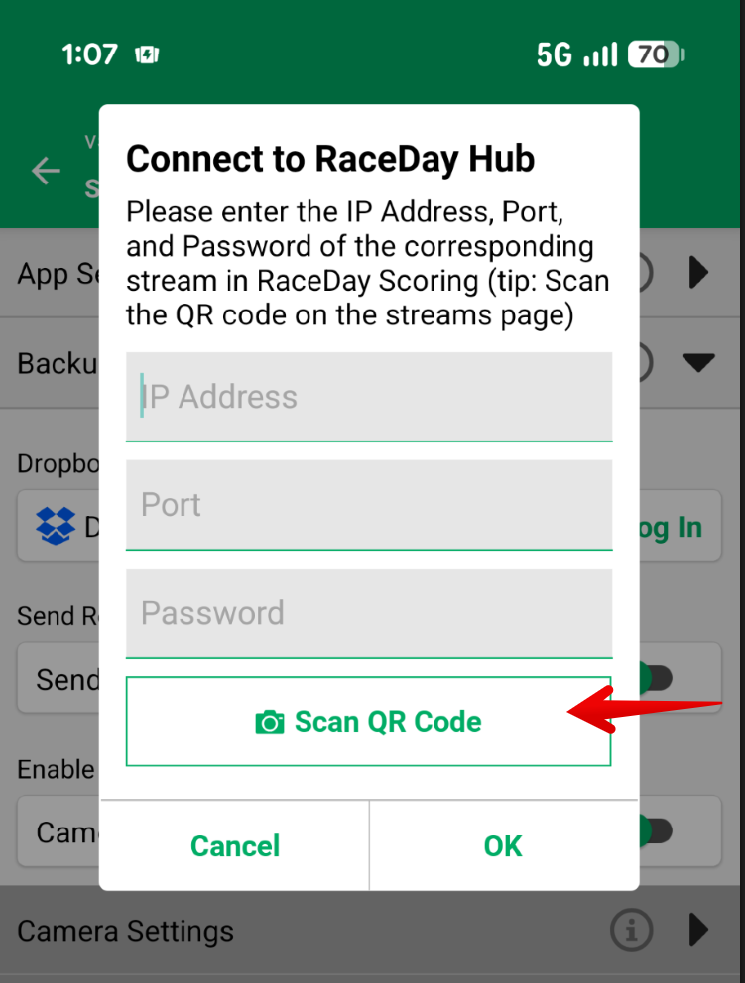
RaceDay Mobile can send backup timing reads straight to the scoring computer. A backup timer records bibs on the phone, and those reads show up in Raw Reads as they happen. You do not need a Dropbox file, and you do not wait for that file to sync.
Use this when you want a person with a phone as a backup at the finish and they're within close proximity to your scoring computer. The phone and the scoring computer need to be on the same network. After the phone is connected, assign the stream to a Timing Location. Assign it as a Backup Stream when a chip reader is also at that spot, so the chip read is used first. See Main vs Backup Streams and Assign a Stream to a Timing Location.
You need RaceDay Mobile 6.0.2 or later. RaceDay Hub does not need to be running for these reads. That same RaceDay Mobile release is required if you also scan Connect to RaceDay Hub for the announcer or photos.
- Open the race and go to Streams.
- Click Add Stream.
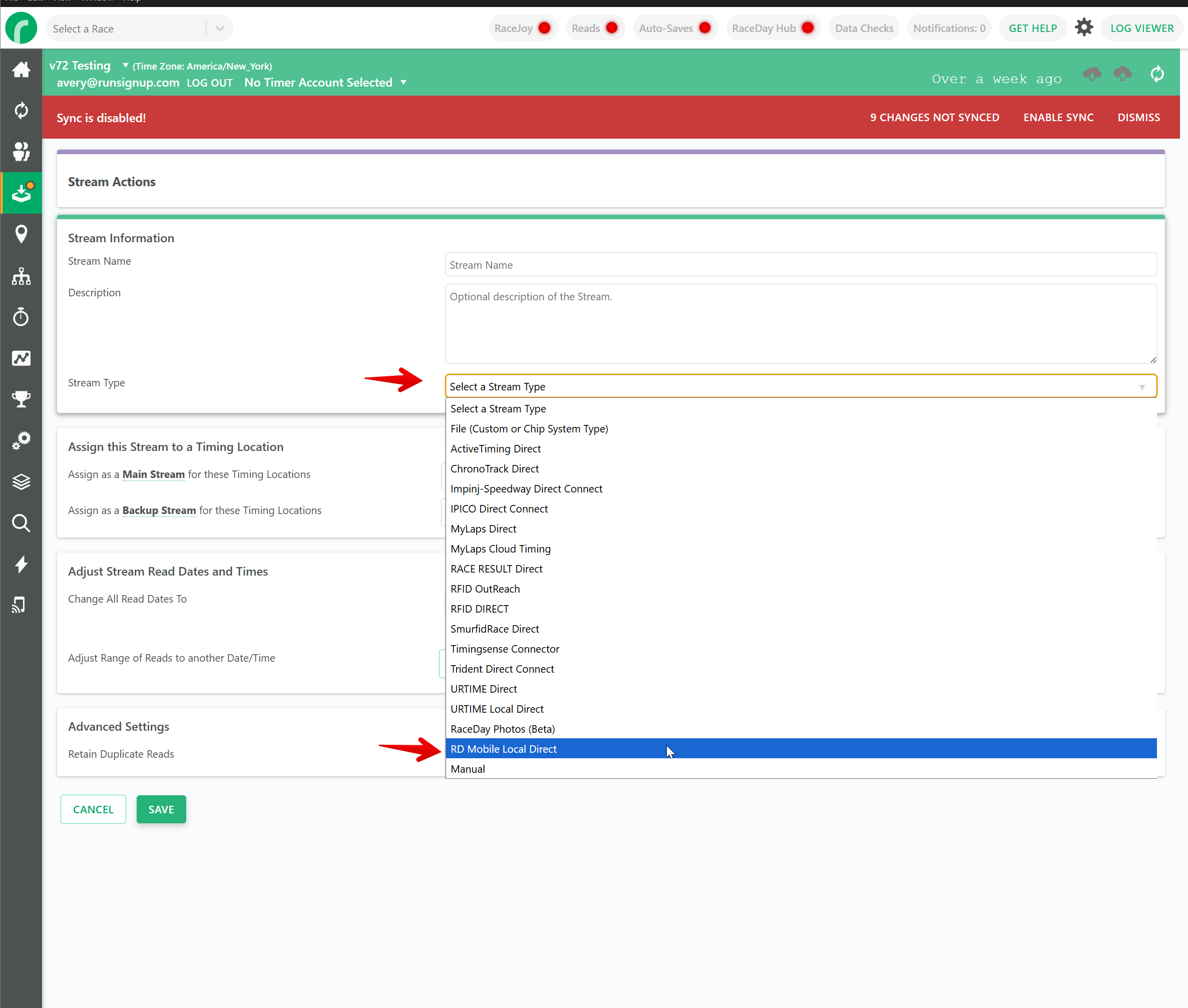
- Set the type to RD Mobile Local Direct.
- Open Advanced Settings and confirm Password and Port. A port is suggested for you.
- Save the stream.
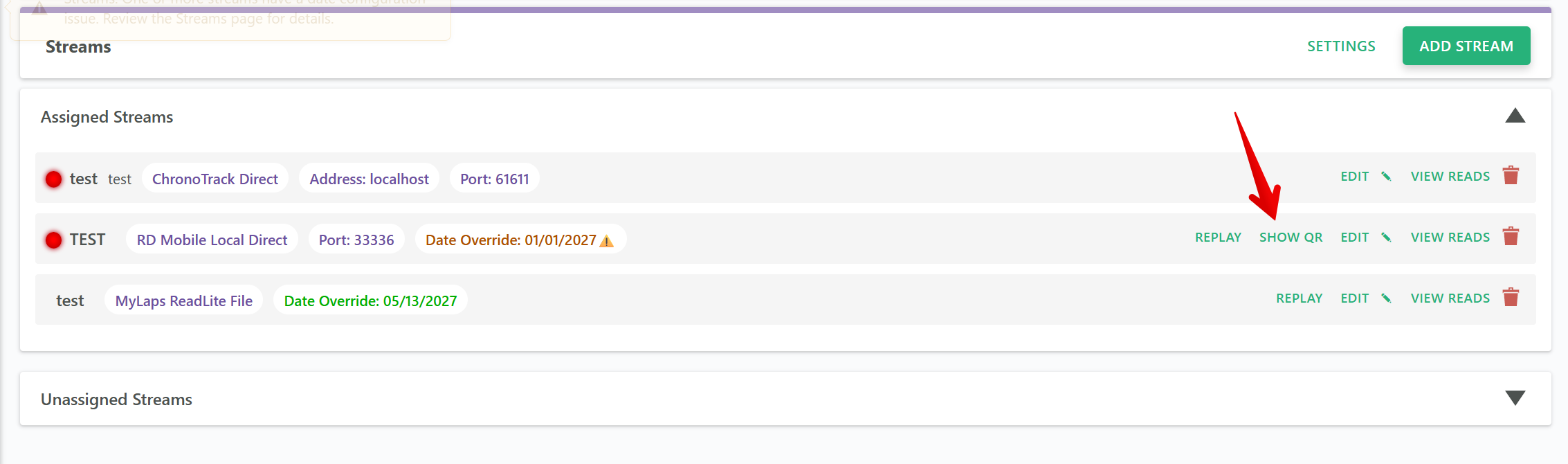
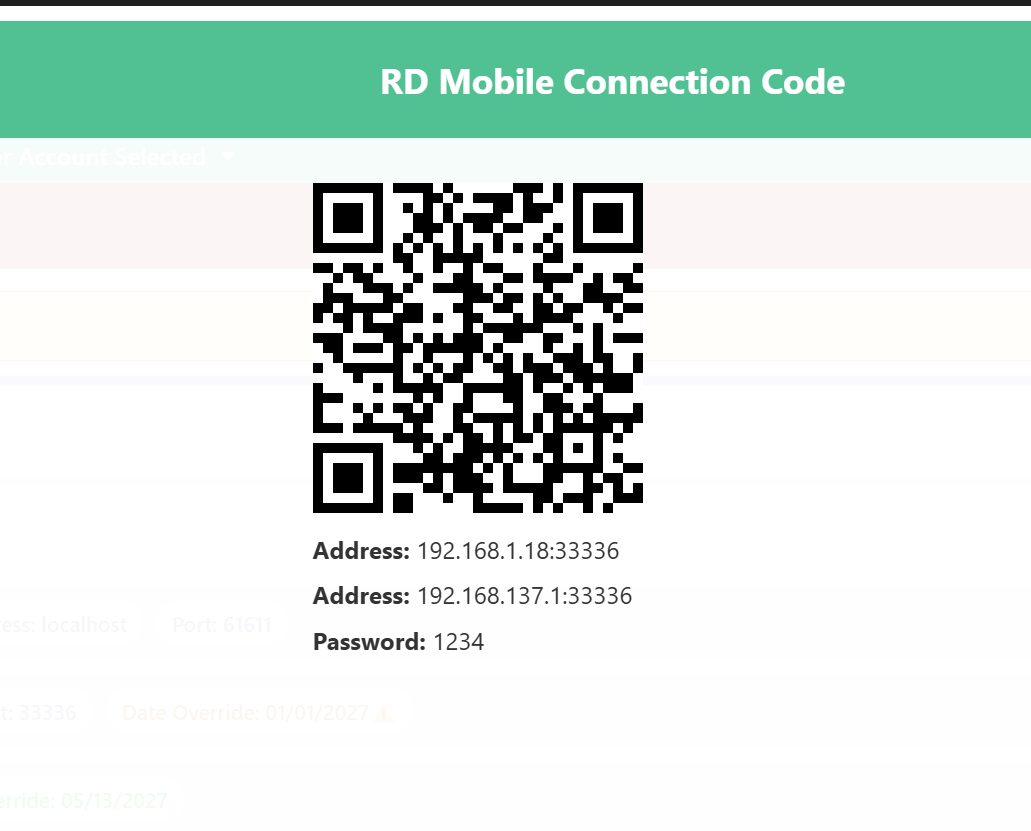
- On that stream, click Show QR.
- In RaceDay Scoring, click Start Collecting Reads.
- On the phone, open Backup Timing in RaceDay Mobile.
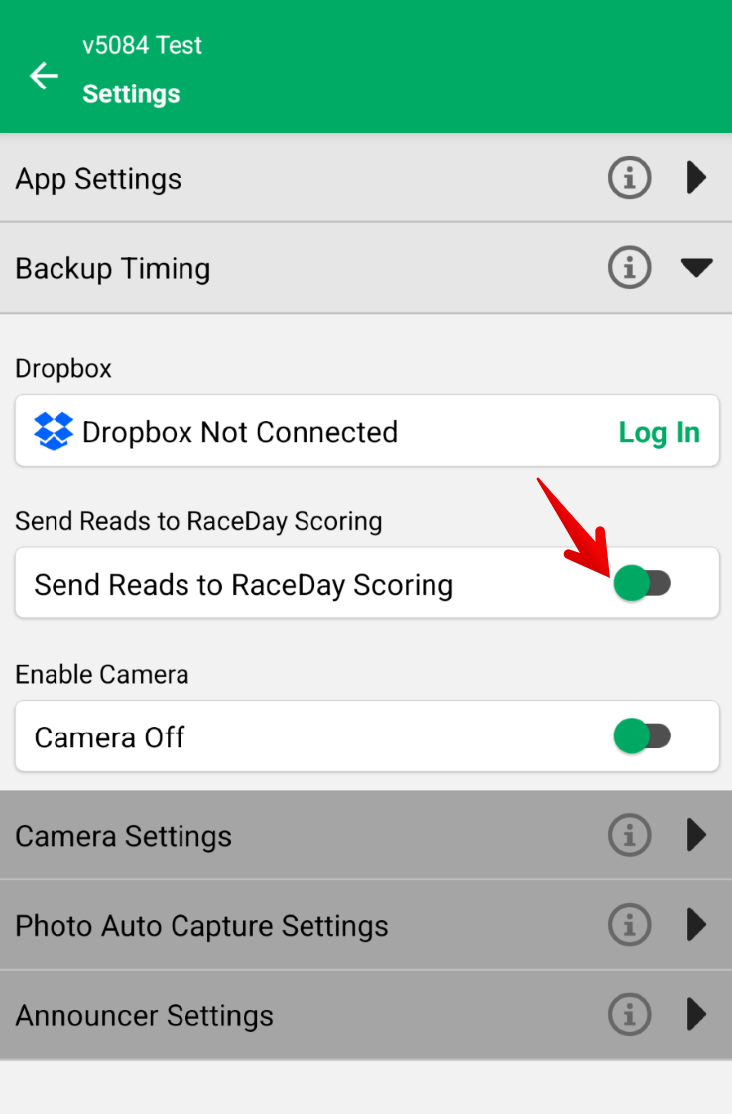
- Tap the settings gear at the top right.
- Turn on Send Reads to RaceDay Scoring. In the Connect to RaceDay Hub dialog, tap Scan QR Code and scan the code from Show QR. You can also type the address and password shown under the code.
- Send a test read from the phone. It shows up in Raw Reads, and the stream status goes green.